
NEWSMY STORAGE · SELECTION GUIDE
USB Order Accuracy: Keep Capacity, Colour and Configuration on One Line
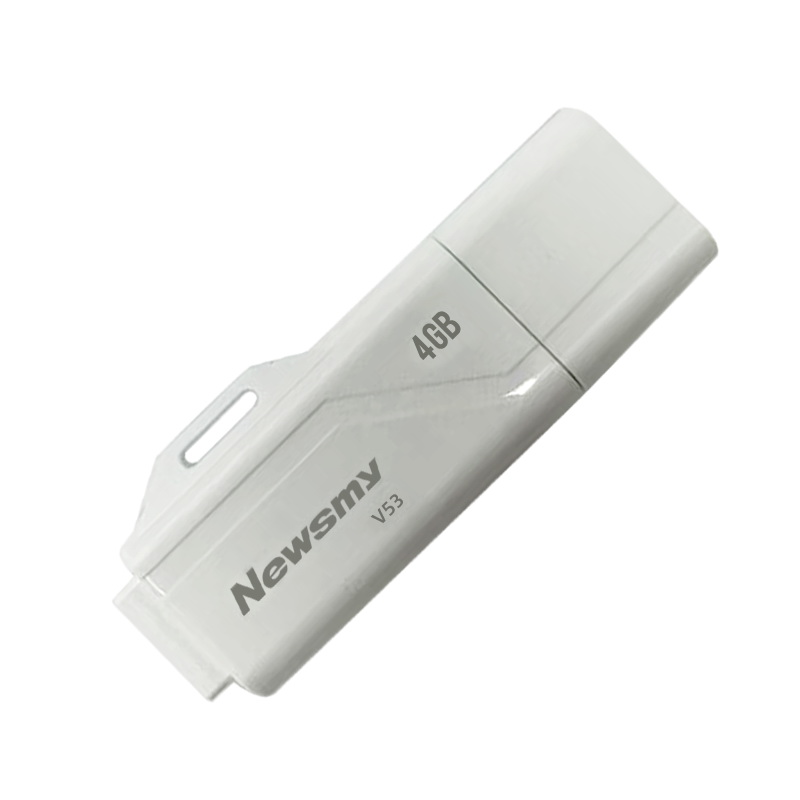
A product photo is not a complete purchase-order line. For a mixed USB order, the same model can appear in several capacities or colours, while another has a fixed finish. The aim here is order accuracy: keep each requested configuration traceable from the product selector to the final quotation and packing details.
1. Use the full model and the selected capacity
Start each line with the model, then write the capacity in GB rather than “large” or “same as photo”. The current V53, V55, V62 and V68 ranges are 4 / 8 / 16 / 32 / 64 / 128 GB; V70 and X68 start at 8 GB and end at 128 GB; V78 offers 32 / 64 / 128 / 256 GB. A range is not permission to order an unlisted intermediate capacity.
2. Distinguish selectable colours from a fixed finish
V53 offers Black, Red, Blue and White; V68 offers Silver and Gunmetal. V70 and X68 have a Gunmetal standard finish, while V78 is Silver. Copy the selected colour name into the order line; do not infer availability from a decorative image or assume one model’s palette applies to another. Confirm final availability in the quotation.
3. Keep interface and connector wording separate
V53, V55, V62 and V68 are listed as USB 2.0. V70, X68 and V78 are listed as USB 3.2. V78 includes USB-A and USB-C in one product; they are not two alternative connector SKUs. Record both fields clearly and do not turn a USB version label into an unsupported numerical transfer-speed promise.
4. Split mixed variants into separate order lines
An unambiguous line looks like “V53 / 32 GB / Black / USB 2.0 / USB-A / quantity to confirm”. Give a different capacity or colour its own line, with its own quantity. These are configuration examples, not new manufacturer SKU codes or stock promises. Keep the product-page link or a dated configuration record with the inquiry.
5. Reconcile the quotation before approving
Check that model, capacity, colour, interface and quantity agree across the inquiry, final quotation and packing description. Ask the team to resolve substitutions or missing fields in writing; do not silently accept a different variant. Packaging, stock, minimum order, price and delivery terms remain quotation items, not facts established by the website selector.
Questions before ordering
Does a displayed colour mean it is immediately in stock?
No. The selector identifies a listed configuration. Confirm current availability and order terms with the team.
Can I order a V78 with only USB-C instead of USB-A?
The listed V78 combines both connectors in one drive. Do not create an unsupported connector variant in the order.
Is a product photo enough to identify the capacity?
No. A photograph may show one capacity. State the selected capacity explicitly on each order line.
Explore the matching NEWSMY models
Compare listed specifications, capacities, available colours and warranty periods on the model pages.
Compare usb flash drives →Technical references
Industry references explain the general standards. Product information follows the current NEWSMY range; the host manual and confirmed quotation determine your configuration.
USB-IF: USB 3.2 capabilities ↗The NEWSMY Storage approach
NEWSMY’s customer-centred approach combines clear product information with a practical service conversation. For mixed USB orders, pragmatism means making each configuration understandable before approval. We encourage buyers and the storage team to resolve model, capacity and colour details together rather than relying on an ambiguous product photograph.