
NEWSMY STORAGE · SELECTION GUIDE
CR100’s M2 Slot Is Not an M.2 SSD Connection
A missing dot can send a purchasing inquiry toward the wrong product family. On CR100, M2 identifies a memory-card format. M.2 in an SSD description refers to a different storage form factor. Write the full media name before ordering a reader, and do not use a similar label as proof that parts can connect.
1. Expand the name “M2” on the card-reader brief
The current CR100 specification names its M2 slot as Memory Stick Micro. Sony’s own support documentation also uses Memory Stick Micro (M2) for a memory card. This reference clarifies the name; it does not establish that CR100 supports every Sony card, capacity or protected-content function. Include the exact media model and capacity for confirmation.
2. Treat M.2 NVMe SSDs as a separate device category
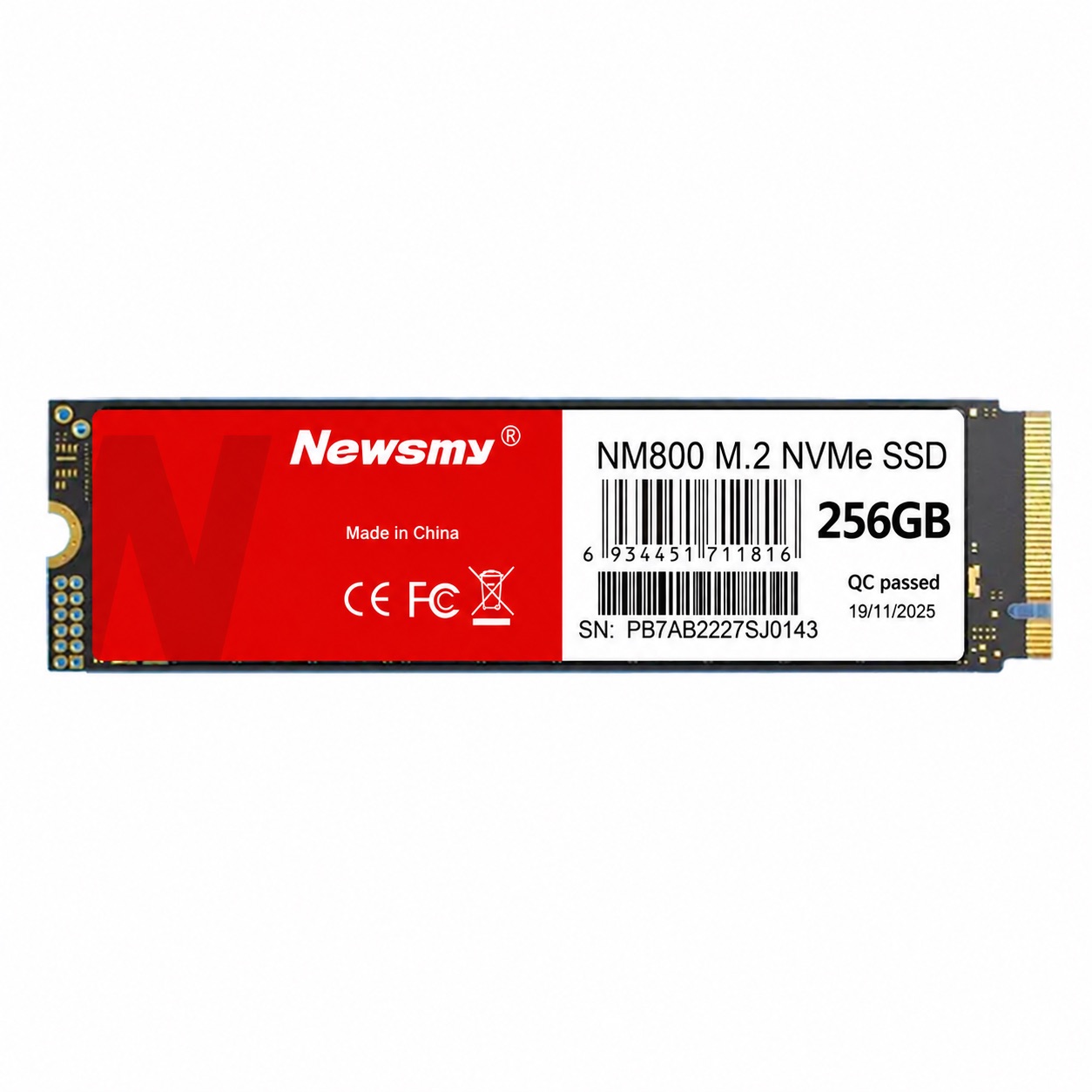
NEWSMY NM800 is listed as an internal M.2 NVMe SSD. Its host needs the matching NVMe support, keying, mounting and mechanical clearance. CR100’s memory-card slots are not an SSD enclosure or a motherboard M.2 socket. Do not insert or force an SSD into a card slot, and do not invent adapter compatibility from the similar name.
3. Check the actual CR100 connections
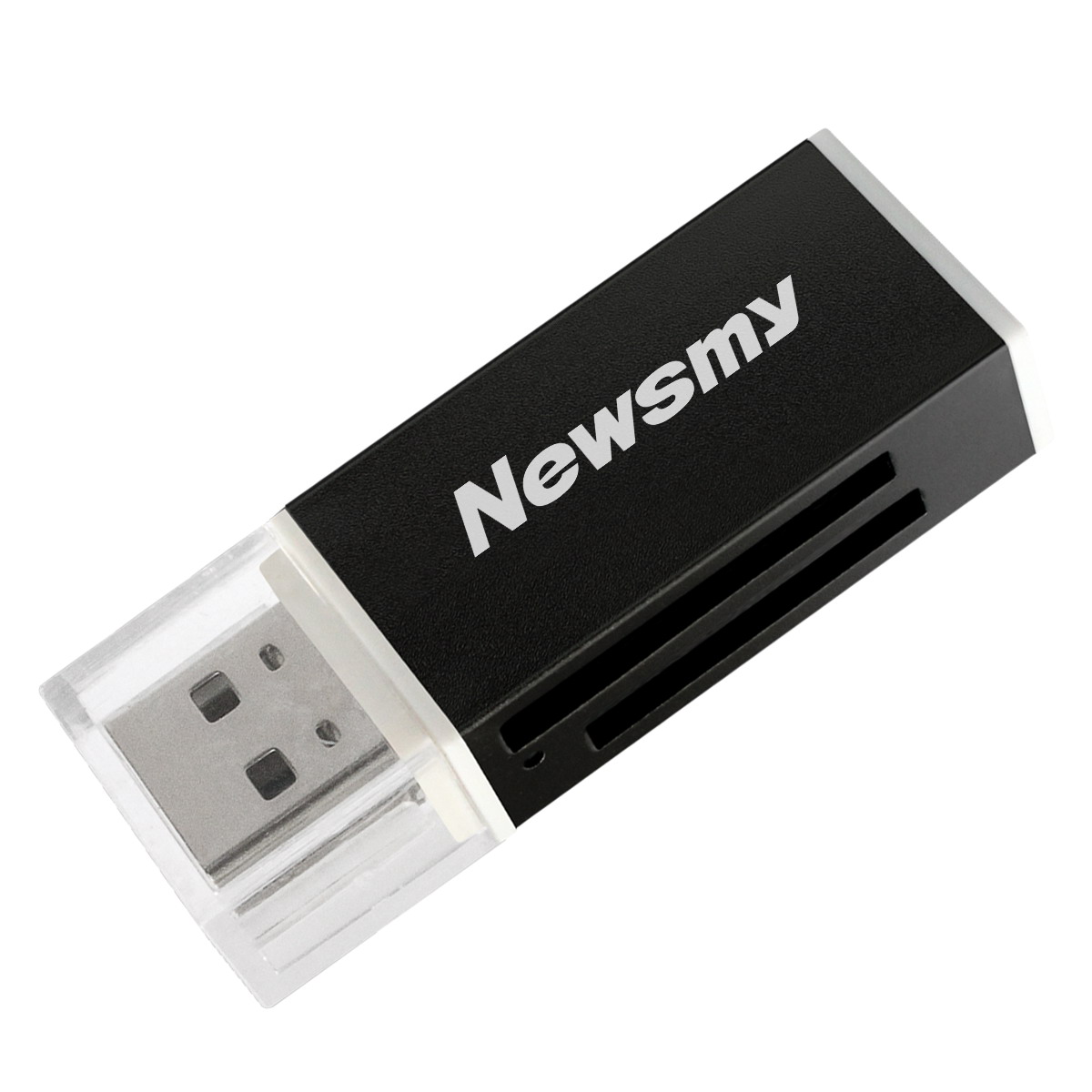
CR100 is a USB-A / USB 2.0 memory-card reader. Its listed card formats are SD, microSD / TF, M2 and MS. It has no internal storage capacity to select. Multiple supported formats do not by themselves promise simultaneous reading, and the USB interface name does not guarantee a speed for every card. Confirm your media and host combination.
4. Describe the card instead of relying on a photograph
Keep the card’s full printed name, capacity and model with the intended host information. A clear photograph can support identification but cannot replace the technical specification. Do not choose a reader just because a card appears to fit a slot. If the format or supported capacity is unclear, stop and ask before insertion or purchase.
5. Put the full media name on the inquiry
For a card-reader inquiry, include CR100, card format and capacity, host device, preferred listed colour, estimated quantity and destination. For an NM800 SSD inquiry, use the SSD model and host requirements instead. Keeping these requests distinct helps the team review the right configuration; the reference pictures do not show a tested connection between the two products.
Questions before the next step
Is M2 just another spelling of M.2?
Not in these product descriptions. CR100’s M2 means Memory Stick Micro; NM800’s M.2 describes an SSD form factor.
Can CR100 read an NM800 SSD?
The listed CR100 card slots are not an M.2 NVMe SSD connection. Use the documented interface and host requirements for each product.
Does CR100 include a memory capacity?
No. It is a reader that requires a supported memory card. Confirm the specific media configuration before ordering.
Explore the matching NEWSMY models
Compare listed specifications, capacities, available colours and warranty periods on the model pages.
Compare m.2 nvme ssd →Compare card readers →Technical references
Industry references explain the general standards. Product information follows the current NEWSMY range; the host manual and confirmed quotation determine your configuration.
Sony: Memory Stick Micro (M2) product naming ↗NVM Express: interfaces and form factors ↗The NEWSMY Storage approach
NEWSMY’s customer-centred approach starts with understandable product information. A small naming difference can matter to a buyer’s application, so pragmatism means checking the complete media and host description before choosing. We encourage clear questions that connect technology, purchasing and service without assuming compatibility from a label.